Showing posts with label Portofolio. Show all posts

Sunday, July 3, 2016

COMIC


COMIC


Comic?
Listen to this word, everyone knows how fun reading a comic. Not only in the book form, nowadays, many comics can be accessed online such as Webtoon.

As a teacher, don't us make our students enjoy reading activity?  Yes, absolutely. 
This is one of the way you make boring reading activity to the fun reading activity.
Use picture in the form of comic to get their interest.
You can make or take any comic with appropriate contain for your students.
Or, let's just make our own comic.
Do you think make a comic is a difficult think? Yes of course. It is very difficult if you make and create it from the blank one to the filled one, or you sketch it from the dot to the big black circle one.
But, not anymore. You can create your own comic easier using online comic maker. 

There are several links that I knew for making a comic.


2. Toondo

3. Pixton

In this beautiful occasion, Let's take a look deeper to one of the online comic maker. 

TOONDO.
 Toondo is easy used comic maker. It is free accessed and you can download the result of your comic easily. You just need to sign-up and create your account.

After that, you can just make your own comic.
You can choose how may box or comic strip do you want to make. You also can choose the character, the background and give balloon as the place of your words.
It is easy and simple.


You also can customize the character to make it fit to your background. Even, you can customize the expression of the character.


Take a look on my comic.
I have made it with my friends.
I make it with my friend' email.


Look, teacher, comic can motivate students to read. They will read it because it is colorful and attractive.
You can create your own comic with various topic as your material.

For the higher level of the students, you can ask them to create their own comic.
I t fits for many materials such as introduction, showing intention, caution, and many other.
You just need to think creatively in how you pack this tool in your classroom. 

Yes, hopefully this article can be used in your real teaching.
 Be the one who can master the technology.
Use it in yourclassroom, so, you are an up to date teacher for your students.

At last, keep reading this Teacher's Path blog.

Hot Potatoes.

Creating our own exercise for the students.


Hot potatoes?
What do you think?
What is the right one?
Here?

Or Here?


Yes, people also know Hot Potatoes as a software that can be used for teaching. It has five application in it; JCloze, JCross, JMatch, JMix and JQuiz.
Another one is The Masher. It is used to compile all the Hot Potatoes exercises into one unit.
What software it is? Well, The application in Hot Potatoes are used to make the exercise or worksheet for the students.
For example, JMAtch for matching exercise, JCLose for filling the blank and JQuiz for making a quiz.
For a teacher, it is very useful for everyday teaching. You can use this application for making your own worksheet that appropriate for your material.
Okay, Let’s have a look deeply about this Hot Potatoes.
Hot Potatoes can be downloaded freely on this link.

HERE.

After you install the software, let’s make one trial worksheet.
Let’s take a look on JCLose everyone.
It is to make fill in the blank exercise. The length of the story is limited. It is about 150 words.

 1. Here is the look of Hot Potatoes, JClose.


 2. Copy or create your passage.

Don't forget to block the words to make it blank, and click Gap.

3. Create a web page.


Here is the example of JClose exercise. You can go to the setting to edit the color of the background, style and others.
Click this link, so you can do the exercise online.

Link


Okay, now you can make your own filling in the blank exercise for your students.
But, remember that.. this exercise is online. You can give the link for your students and ask them to do it.

 Further, Check this video to get more information about using Hot Potatoes.

How to use Hot Potatoes 


Well, everyone..
Don’t forget to always be creative on our teaching. Students who already study for whole their life are bored with the similar activity or exercise that teacher did. Even, they remember what the next activity after this activity.
So, teaching creatively and innovatively is needed.
Using the provided technology, you can make it true.

So, keep fighting teacher.
Be the great one who can help and inspire your students.

Keep reading Teacher’s Path. It may help you find new ideas for your teaching sessions. :D

Saturday, July 2, 2016

Podcast

Podcast


Podcast. Maybe you have already known that, it is a combining word from "broadcasting" and iPod". But, let's take a look on brief definition about podcast.

Podcasting is a form of audio broadcasting on the Internet. I am sure that you must be familiar with  iPod. Perhaps, you think that you only can listen a podcast by the iPod. But, no. You can listen to the podcast by using your computers or mobile phones. There are many sites that provide online podcast to practice your listening, or for you who want to explore more about surroundings. One of audio file types that popular is MP3. Nowadays, MP3 can be downloaded everywhere.
Okay, talking about podcast, the contain of the podcast itself is varied. In English teaching, podcast usually used as listening material. You play the audio file and ask your students to listen and do some activities like fill in the blank, listening comprehension questions, or summary. Yes, mostly podcast for English teaching can easily downloaded from internet such as BBC or VOA.

If teachers may find it difficult to find best topic or suitable accent or speed for their students, they are able to record their own talk as podcast. However, make sure that all the pronunciation is correct so it can be a good model for students.

If teachers want to do it differently, how if you ask your students to make the podcast. You may ask them to record their conversation and upload it to the internet. It can be on Google drive or Soundcloud. So that everyone can give comment and listen to it outside the class. It is also one of good ways to monitor your students' improvement. 

Take a look on this. It is and Example of Podcast that is uploaded on Soundcloud.

HERE

This audio will talk about their experience on culture shock.

How to record it?
You can record it using your mobile phone, or using Audacity.
It is an aplication to record and edit audio. You can even add some music on your recording.

Take a look on this video.
How to make Podcast using Audacity 


The use of such technology can be on of good points for students in the future. They will probably face a moment who obligate them to record or edit audio/video. For teachers, it is also one of good sign that we as teachers keep updated to new technology.
Just like podcast, maybe in everyday life, they listen to the music and play the radio.
Try to make link for the technology used and teaching.
And, your classroom will be more meaningful and joyful. :D

Okay, See ya Fellas on the next Teacher's Path posts. 

Skype

Skype

Teaching  English will be different if you use technology as the medium. You can find it simple and cool. And "Skype" is one of tools that you can get benefit from it in your teaching process.

Anyone know well about this word "Skype".
But, still, for some others who are not familiar, here is the more explanation about what Skype is.

What is Skype, actually?

Skype is an IP telephony service provider that offers free calling between subscribers and low-cost calling to people who don't use the service.(Techtarget)
Skype also enables you to do file transfer, videoconferencing, texting, and video chat. This application can be downloaded and used in computers, tablets even mobile phones.
But one thing to remember is that, your internet connection must be stable and good.

Just go here, and download it. Here

After you finish downloading it, you need to sign up. Next, check this video to make you more familiar with Skype.

How to use skype


 In teaching speaking, it is very common to ask your students to come forward and then practice their speaking in form of a drama or role play. To make it more extraordinary, you can ask them to download Skype on their mobile phones.

You can ask them to have video call with their friends, and ask them to record it. You will find it easy to evaluate their speaking skill. 
Or, you can do video conference with your students and have online class. You can invite them to speak with different topics outside the classroom. 
What you need to prepare is time and internet connection. 
Be careful if your internet connection is low, you will find your self in and out of the videoconference. Just like this example;

Bad internet connection


Yes, your voice also cannot be heard clearly.


So, what is videoconference? It is a video call that consist of more than two people. Yes, Skype can do this. Please take a look on this video, how to make group call.

How to make group call


Well, do you have any other creative idea to teach speaking using Skype?
Please share more ideas in the comment.


I hope you can enjoy reading this article. Keep readig this Teacher's Path. See Ya!

Friday, June 24, 2016

Poster

Making Creative Online Poster


In teaching process, teacher usually asked the students to make a product that can be sticked in the classroom wall. It will be so various. It can be a letter, memo, brochure, notice, and poster.  Those products usually as the produc of writing activity. besides the content of those product, the creativity and the skill of the students are also be trained. 

Poster
is one of the art of design grafic. It is a combining form of picture and letter. the poster can be mad originally or handmade just like stick or draw a picture and letter on the big paper. it can be made creatively using color pen and many other object. 

But, nowadays, to make simple poster, there is a website that provide free access to create a poster. 

Yiha.. This is PosterMyWall.
In this website, you can make a poster with many templates and background freely.
take a look on the first page.


It is very easy. Just click "Create a Design" and then you will go to the next page.


Yes, on this page, just find your favorite template and design your own poster. look at my poster made by PosterMyWall. I choose my favorite background photo, add some photo and words.

In the teaching process, making a poster can be one of choices that you may take. Ask your students to go online and make their own poster dealing with today material. Be the most creative teacher nowadays, teacher.
Technology provide us many tools to improve the learning process. Be an up to date one.

Okay, Hopefully, this article can help you in improving your teaching. Find another and related articles of my blog here

Saturday, June 18, 2016

Timeline


 TIMELINE

There are many activities that teachers can create in the classroom, conventionally or modern. One of the activity is making "Timeline".


Conventionally just like this; 


or using technology just like this:


Timeline usually made to tell the history of something or biography of someone. Rather than ask the students write in their book many paragraph to tell the history, it is more creative and interesting to ask them make a timeline.

With the development of technology, nowadays is easy to access Internet. Also, in the Internet, many website that provide and support your teaching, teachers. Just like these web below;


 Just klik to the link and you will find out more what you can do with them. Here, I will only give a try to Tiki-toki
In the above is the display of the Tiki-toki

It is very easy to use. It is free access and you can sign up using your email account. The time line, you can make it very colorful and using picture, just like the picture below. You can save it by the URL.

 By making timeline with Tiki-toki , it is a lot easiesr, saving time, saving money and colorful.

 If you still wondering how to use Tiki-toki, just watch this tutorial

It is another example of the Tiki-toki . Just go to this Link

Horay... you have another creative activity for your students now. Hope you enjoy reading this article.
Keep teaching with sincerity, helping with pleasure and inspire with no reward.


Tuesday, June 14, 2016

Mind Mapping


Mind Map 


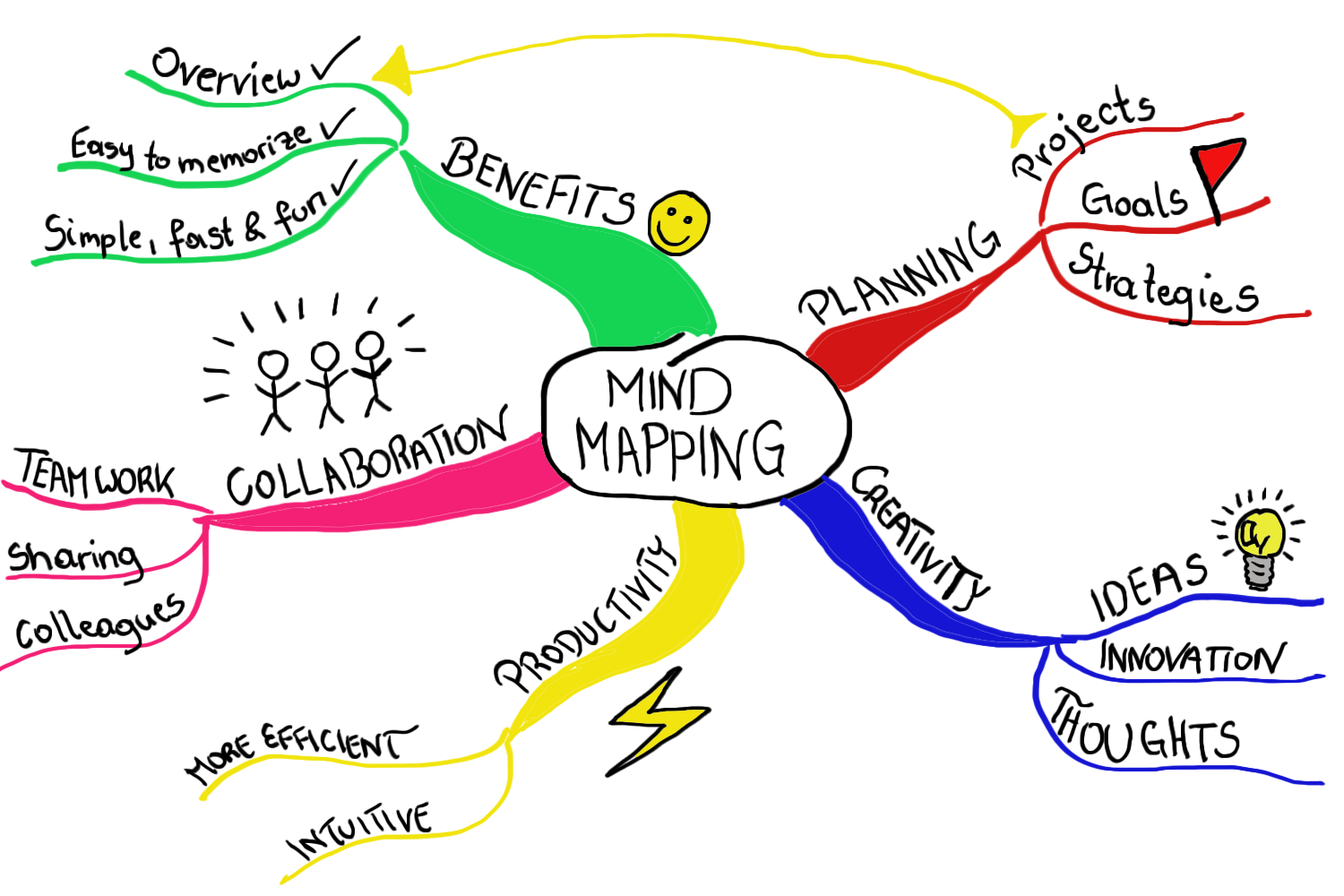
A mind map is a diagram used to visually organize information. It usually uses to depict what is in mind by only write the "keyword". Everyone must be known how to make mindmap. Yes, mind map is easy to make by putting the broadest topic or idea in the center, then make you can draw line to make branch with the more specific topic. 

In the EFL Classroom, teacher can use mind map in the learning activities such as in the Brainstorming activity, Note-taking activity, and Summarizing.
 
However, in this millenium era, making mindmap using technology is as easy as make it conventionally. It's a lot easier actually. You can make minmap creatively and colorful. You can make it easily using these two online web;


Those two online web are free access. You can just sign in using your email account or Facebook account. The result of your mindmap can be downloaded as PNG format, JPG format, PDF format or URL only, just like my mind map on Coogle Mindmap

Remember that, you will get used to the tools when you practice using it. So, just go to the link and practice making a mind map.


If you still find difficulties on how to make the mind map, you can go to  

Popplet Tutorial


  and
 Coggle Tutorial


Okay, That's all about mindmapping. Hopefully it will be useful for your teaching. 
Keep teaching with sincerity, Help with pleasure and Inspire with no reward. 


Post It

Teachers not only teach, but help and inspire as well.

Keep reading this Teacher's Path while finding your own Path in teaching.